
5 Best Smart Home Projectors in New Zealand
Looking for a projector in New Zealand? Read this before you buy

David Gibson
david@choicescope.org
David Gibson is an instrument engineer with extensive experience in electronic systems and visual technology. He specialises in projector and display evaluation, with a practical focus on performance, reliability, setup convenience, and the real-world viewing experience in everyday New Zealand homes.
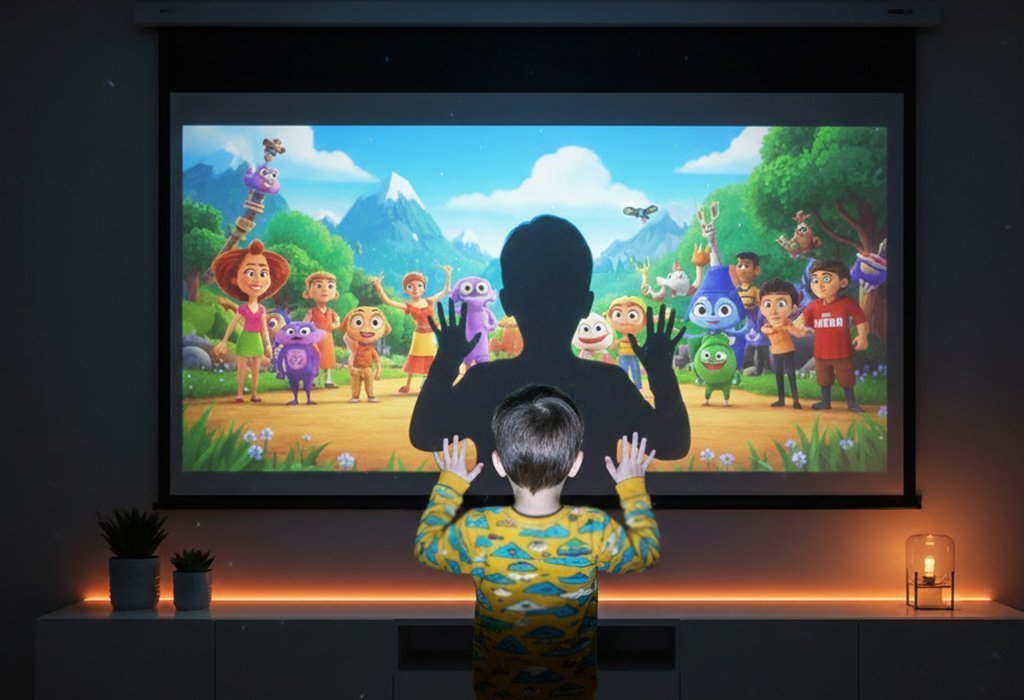
As projectors become smarter, their ability to replace traditional TVs has improved dramatically. Modern smart projectors now combine wireless streaming, built-in operating systems, and app compatibility in one compact device, making home entertainment simpler for Kiwi households.
Today’s projectors can connect easily with phones, tablets, and laptops through wireless connections, so you can stream films, sport, YouTube, or family videos without a tangle of cables or extra hardware.
At the same time, modern projectors are lighter, more portable, and designed for flexible everyday use. Whether you are planning a movie night in the lounge, gaming in the bedroom, watching the rugby with mates, or setting up a backyard screening at the bach, they can create an immersive big-screen experience without taking up permanent space like a traditional television.
This is also why more New Zealand shoppers are switching to smart projectors, but I am often asked:
“What should I really look for when buying a projector?”
If I only wanted to promote expensive products, I would not need to write this report.
I genuinely hope this article helps you make a smarter buying decision and choose a projector that suits the way New Zealand homes actually use entertainment technology.
An excellent projector mainly depends on two aspects: hardware performance and user experience. Hardware determines image quality and projection capability, while the overall experience determines how convenient and enjoyable the projector is to use every day in a lounge, bedroom, flat, or outdoor setting.
Because there are many technical specifications, I’ll summarise the five most important factors for New Zealand buyers.
Brightness
Brightness determines whether the projector performs well at night, in a dim lounge, or in a brighter room during the day. Most manufacturers use ANSI lumens as the standard measurement. In reality, many brands exaggerate brightness claims, and extremely high numbers are not always necessary for everyday viewing. What matters more is balanced brightness that still keeps colours natural and comfortable.
Resolution
There are two types of resolution to consider: native resolution and supported resolution. Native resolution refers to the actual image the projector can display, while supported resolution refers to the highest input signal the projector can process. A good smart projector should have at least 1080P native output, while newer upgraded models should also offer stronger video-processing capability, such as a 4K video playback option and advanced high-resolution source compatibility. For example, 8K video decoding support does not mean the projector is native 8K; it means the internal system can process 8K video sources more smoothly and display them within the projector’s supported output capability. This is especially helpful for users who watch high-quality streaming content, downloaded films, sport replays, or newer media files with higher decoding requirements.
Contrast
Under reasonable brightness conditions, higher contrast gives the projected image more visible colour levels, deeper shadows, and a richer, more vivid look. If contrast is too low, the whole picture can look washed out or grey, which is especially noticeable during movie scenes, gaming, and sport broadcasts.
Throw ratio
The conventional throw ratio is 1.2:1, meaning a distance of 1.2 metres can project an image around 1 metre wide. Throw ratio = projection distance / screen width. Before buying a projector, measure your room, lounge wall, or screen area so you know whether the projector can create the size you want without needing awkward placement.
Light source
Most light sources on the market mainly use LED or ultra-high-pressure lamp technology. LEDs usually have a long service life and are more convenient for everyday use, though they may be less bright than traditional lamp-based models. Ultra-high-pressure lamps can offer high brightness, but they generally have a shorter lifespan and may need replacement about every two years, which adds extra running cost and maintenance.
After understanding the hardware basics, the most important part is smart functionality and ease of use.
This includes:
- Built-in Android system
- Upgraded Android 14 operating system
- H723 chipset performance
- 4K video playback option
- 8K video decoding support
- App compatibility
- Wireless streaming
- Bluetooth connectivity
- Voice control
- Wi-Fi performance
- Screen mirroring
One major issue with older projectors is that they rely heavily on external devices. Many require laptops, TV sticks, HDMI cables, or additional streaming boxes just to watch simple content.
Modern smart projectors solve this problem completely.
With a built-in Android operating system, users can stream content directly from the projector itself without needing external devices. When the projector is upgraded to Android 14 and paired with an H723 chipset, the overall experience becomes smoother, faster, and more suitable for today’s streaming habits. Users can enjoy a cleaner setup, quicker access to apps, more stable operation, and better compatibility with high-definition video sources.
The upgraded video capability is also important. A 4K video playback option allows users to enjoy sharper source content when available, while 8K video decoding support improves compatibility with newer, higher-resolution media files. This gives the projector stronger future-ready value for home theatre, bedroom entertainment, gaming, and outdoor movie nights.
The working principle of a projector uses optical imaging technology, so many buyers also pay attention to lens materials. Most quality projectors today use a combination of glass and resin lenses to improve light transmission, durability, and image clarity.
Overall, choosing the right smart projector is not always easy.
The following are practical suggestions based on actual everyday use in New Zealand homes.
You Should Look For
Keystone correction support
Whether the projector supports keystone correction greatly affects placement flexibility. Good keystone correction lets you place the projector on a coffee table, shelf, bedside cabinet, or outdoor stand while still maintaining a properly aligned image.
Autofocus
Imagine using the projector in your bedroom, then moving it to the lounge, and later taking it outside for a weekend movie night. In that situation, autofocus makes a real difference. At the very least, choose a projector with simple focus control, such as autofocus or one-button focus from the remote.
Built-in Android 14 smart system
A projector with its own Android 14 operating system allows direct streaming without requiring external TV sticks or complicated devices. When combined with an upgraded H723 chipset, it can deliver smoother app operation, faster response, and better compatibility with 4K video playback options and 8K video decoding sources.
Ambient-light adjustment
Ambient light changes from room to room and throughout the day, especially in New Zealand homes with large windows or open-plan living areas. A projector with adaptive brightness can automatically adjust the picture according to the surrounding light, helping maintain clarity and viewing comfort.
You Should Avoid
Single-system or traditional office projectors
Some older projectors still rely entirely on external devices and lack smart functionality, making them inconvenient for everyday home entertainment. They may be fine for meeting rooms, but they are not ideal for relaxed streaming, gaming, or family movie nights.
Awkward setup and messy cables
When using a projector, you often need to connect phones, tablets, and laptops. If the setup depends on adapters and messy wires, the process becomes frustrating and the viewing position is restricted. A better choice is a projector that supports wireless connection, its own hotspot, and wireless screen mirroring, making it quicker and easier to use around the home.
A projector that is too bright
Many people think the higher the brightness, the better, because high brightness can make the picture easier to see during the day or in a brightly lit room. However, too much brightness is not always better. Excessive brightness can make viewing uncomfortable, especially for children, older viewers, and anyone watching for long periods at close range.
Overpriced models
Many projectors are currently sold at extremely high prices, often because of the brand name rather than the actual everyday experience. The purpose of this article is to show New Zealand shoppers a strong product with complete functions, practical smart features, and a reasonable price.
As someone who has tested countless projectors, I’ve noticed that many major brands charge significantly more simply because of brand recognition.
Recently, I discovered a newer upgraded smart projector model that delivers everything most users actually need — Android 14, an H723 chipset, a 4K video playback option, and 8K video decoding support — but at a much more reasonable price.
Price matters, but real value comes from balancing:
- Performance
- Convenience
- Smart features
- Video playback and decoding capability
- Reliability
- Ease of use
I can confidently say that a good smart projector should make entertainment easier, sharper, and more future-ready, not more complicated.
Based on these factors, we ranked the five best projectors for New Zealand buyers.
We Evaluate Based on the Following Criteria
- Screen resolution
- System functions
- Value for money
- Brightness
- Sound
The 5 Best Smart Home Projectors in New Zealand
During the past four months, we tested over 48 different projectors. These are the top 5 models based on our experts’ assessments, practical New Zealand use cases, and user reviews.

Price
NZ$319
Our Rating
A+
REVIEW
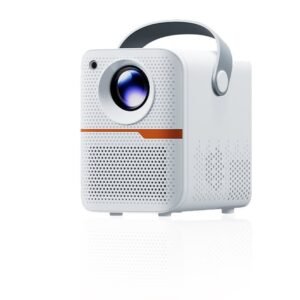
We came across the Xenova upgraded smart projector while reviewing a large number of smart projector submissions for this guide. Honestly, we did not expect much at first, because many compact models make big claims but fall short in normal home use. After testing it in real everyday scenarios, we were genuinely impressed.
The first thing we noticed was the compact size. It is much smaller and more portable than most traditional home projectors, making it easy to move between the bedroom, lounge, garage, or even outdoors for a backyard movie night. The minimalist finish also gives it a more premium and modern look compared with many bulky projector models on the market.
What really stood out, however, was the upgraded Android 14 smart system.
Unlike older projectors that require TV sticks, HDMI connections, or external streaming devices, Xenova works independently straight out of the box. Simply connect to Wi-Fi, and you can stream content directly from apps like YouTube, Netflix, Prime Video, and more without a complicated setup. With Android 14, the interface feels more current, app compatibility is stronger, and daily operation is smoother for modern home entertainment.
Another important upgrade is the H723 chipset. In daily use, the chip affects how quickly the projector responds, how smoothly apps open, and how stable video playback feels. Compared with many basic smart projectors that only focus on appearance, Xenova feels more practical because the internal hardware is designed to support a smoother and more reliable entertainment experience.
That level of convenience makes a huge difference in everyday use.
Another feature we appreciated was the low blue light technology. Long viewing sessions on traditional screens can cause eye strain and fatigue, especially at close range. This projector is designed to reduce harsh blue light exposure, creating a more comfortable viewing experience for movies, gaming, sport, and nighttime entertainment.
In terms of image quality, Xenova has been upgraded with a 4K video playback option and 8K video decoding support. This means users can choose higher-quality playback when the video source allows it, while the 8K decoding capability helps the system process newer, higher-resolution media files with better compatibility. Whether used for home theatre, bedroom entertainment, backyard movie nights, or casual streaming, the picture quality feels sharp, immersive, and enjoyable for its size and price range.
The projector also includes many of the features we consider essential in a modern smart projector, including autofocus and keystone correction. Setup is quick, simple, and beginner-friendly, with no complicated installation process or lengthy manual required.
Although Xenova is not one of the massive global brands, the overall user experience is surprisingly competitive. In fact, it delivers many of the same smart features people expect from premium models — Android 14, H723 chip performance, 4K playback capability, 8K video decoding support, wireless convenience, and easy setup — but at a much more reasonable price point.
For anyone in New Zealand looking for a simple, modern, all-in-one entertainment solution, Xenova offers excellent value for money and is our strongest choice for users who want a smarter, more future-ready projector without paying a premium-brand price.
Pros
- Compact body and easy to carry
- Portable design for indoor and outdoor use
- 4K video playback option
- 8K video decoding support
- Built-in Android 14 Smart OS with H723 chipset
- No external TV stick required
- Supports wireless screen mirroring
- Supports 2.4 GHz & 5 GHz Wi-Fi
- Bluetooth connectivity
- 15000:1 contrast ratio
- Autofocus support
- Noise level under 30 dB
- Keystone correction support
- Projection size from 40 to 300 inches
- Low blue light technology
- Quiet operation
- Easy setup and user-friendly system
- Excellent value for money
Cons
- Only available online
- Often sells out due to high demand
EF-12
Price
NZ$1,214
Our Rating
A

REVIEW
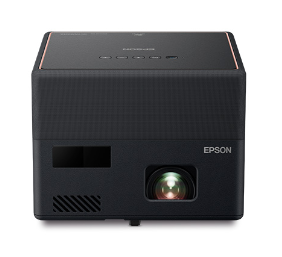
As a home theatre enthusiast, I had the opportunity to experience the Epson Smart Portable Laser Projector first-hand. It is a polished piece of modern technology, blending portability with laser projection capability that can produce clear, colourful images in the right environment. The convenience of smart features is also valuable, and streaming from familiar services feels straightforward.
However, while the picture quality and overall user experience are impressive, the investment required to own this device may make some New Zealand buyers pause. Its premium pricing reflects its advanced features, but not every household needs to spend this much to enjoy a strong big-screen experience.
It is also worth noting that the fan noise, while not overpowering, can become noticeable during softer scenes where audio detail matters. And while portability is a clear selling point, the weight may not feel as effortless as some users expect if they plan to move it frequently between rooms or take it away for weekends.
In essence, the Epson Smart Portable Laser Projector is a near-perfect blend of innovation and performance, but its price tag and a couple of practical drawbacks deserve careful consideration before purchase.
Pros
- High-quality image
- Portable design
- Long lamp life
- Quick on/off
- Versatile connectivity
Cons
- Higher cost
- Limited battery life
- Sound quality could be better
VPL-VW270ES
Price
NZ$10,080
Our Rating
B+

REVIEW
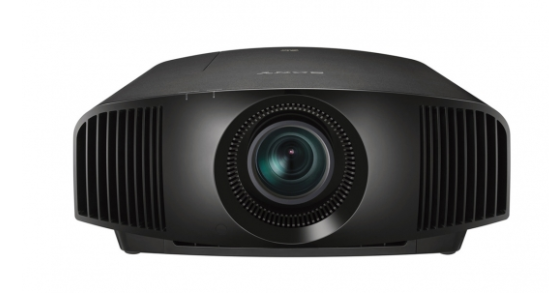
This unit showcases Sony’s commitment to image quality with refined 4K resolution, which is certainly commendable. However, behind its sleek design and premium positioning, there is still room for discernment.
The VPL-VW270ES delivers crisp images, but it appears to compromise slightly on brightness, which may not perform as vividly in well-lit rooms. For film lovers wanting a true cinema-style atmosphere, this may mean closing the curtains more often during daytime viewing.
The interface is user-friendly, but it may not offer the fast, modern navigation that many streaming users now expect. It is a little like driving a luxury car with underwhelming horsepower: you enjoy the comfort, but you still want a touch more responsiveness under the hood.
Finally, this projector sits at the higher end of the price spectrum. It competes directly with other models that can offer similar picture quality without such a large investment. New Zealand consumers should weigh its refined 4K projection against these noticeable compromises in usability, brightness, and cost.
Pros
- SXRD panels
- HDR compatibility
- Motorised lens system
- Low input lag mode
Cons
- Brightness limitations
- No 8K support
- High cost
SP-LFF3CLA
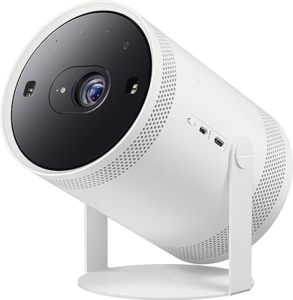
Price
NZ$1,851
Our Rating
B

REVIEW
This projector is not designed for ultimate audio-visual performance, but more as a lifestyle “scene innovator”. It sacrifices some image quality in exchange for unusual installation freedom and flexible entertainment use. It may suit younger users, renters, or small families who move their projector around often, enjoy outdoor entertainment, and want a multi-functional all-in-one device. If you need an ambience maker that can be projected almost anywhere, it is worth considering. However, if you prioritise cinema-grade image quality or plan to use the projector in a fixed home theatre setup, there may be more traditional models in the same price range that focus more heavily on picture and sound performance.
Pros
- 4K resolution
- Good brightness
- Smart features
Cons
- Black levels and contrast
- Input lag
- Colour calibration
- Noise levels
- Light leakage

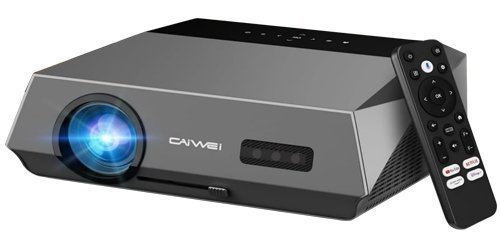
Price
NZ$1,158
Our Rating
B-

REVIEW
If its claimed “4K support” is confirmed to be native or high-quality upscaled 4K, and if the actual colour calibration is accurate, then it can be a very capable viewing tool in low-light environments.
Although it is an officially certified Google TV model, the built-in processor (SoC) model and RAM size are still crucial. If it uses a low-to-mid-range chip, such as an older Amlogic or Rockchip solution, to control costs, system smoothness may decline after a period of use and after installing multiple apps. This can lead to stuttering, slower start-up, and other issues that become frustrating in everyday streaming.
Pros
- 4K resolution
- Colour accuracy
- HDR support
- Durability
Cons
- Brightness limitations
- Limited smart features
- Black level performance
- Limited zoom and lens shift
- Input lag
Our Top Picks
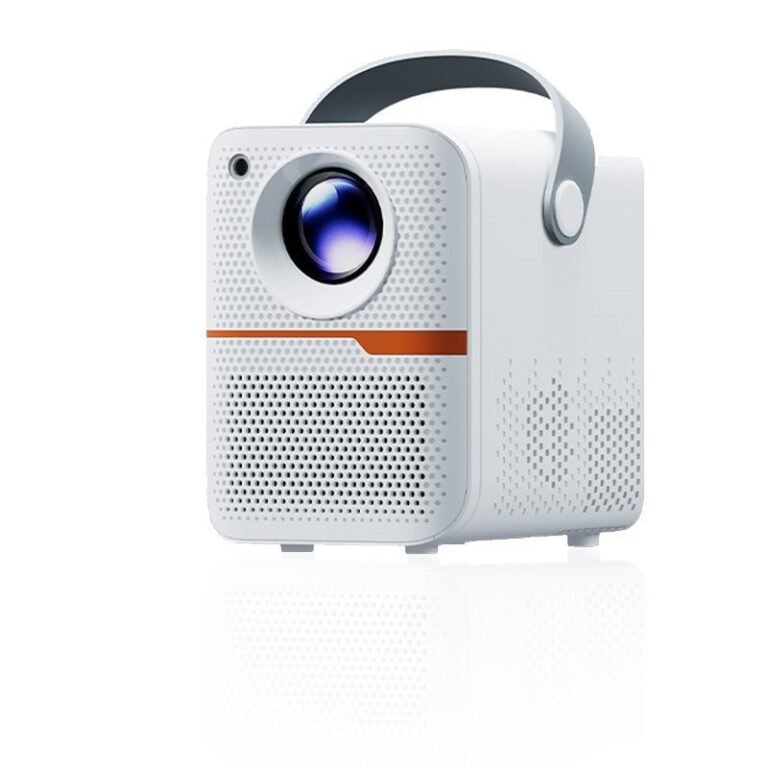

Xenova is compact, portable, and easy to use, making it suitable for bedrooms, lounges, flats, and backyard movie nights across New Zealand.
With Android 14 built in, it works independently without extra TV sticks or external devices. Simply connect to Wi-Fi and stream directly from apps like YouTube, Netflix, and Prime Video.
The upgraded H723 chipset helps deliver smoother app operation, faster response, and more stable video playback. It also supports 4K video playback and 8K video decoding for sharper, more immersive viewing.
Features like autofocus, keystone correction, and low blue light technology make setup simple and viewing more comfortable for everyday family use.
Overall, Xenova offers modern smart features, convenient wireless use, and strong value for money, making it our top pick for home entertainment without the premium-brand price.